
Automating Flood Studies in HEC-RAS: When the GUI Becomes the Bottleneck
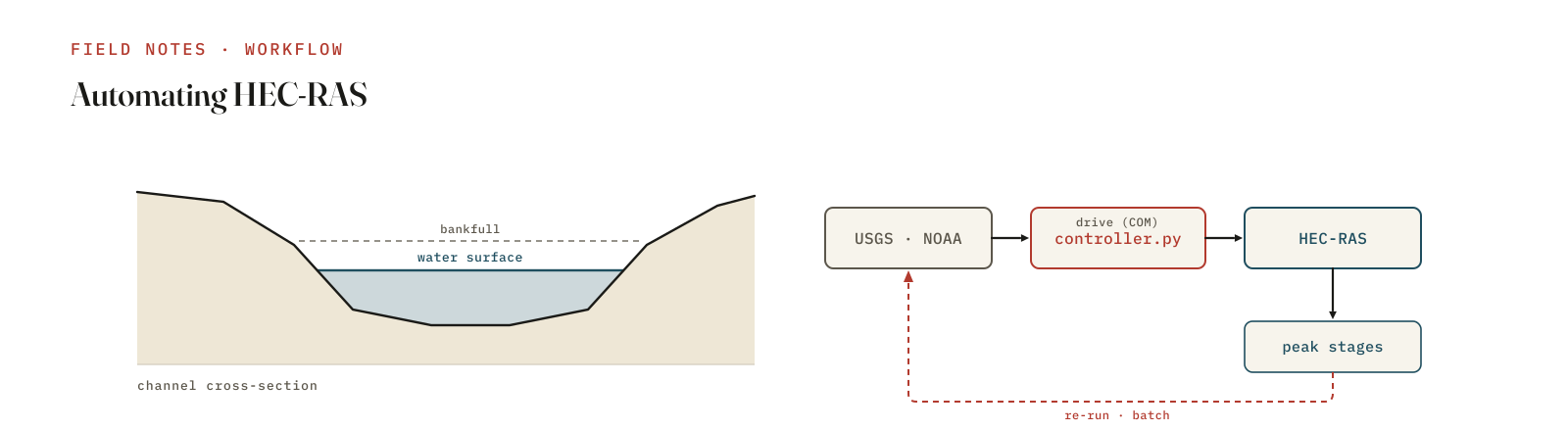
HEC-RAS has an excellent interface. You should build your geometry in it, and you should review your results in it. But the interface is also where good engineers quietly lose days — re-running plans, sweeping a parameter, re-fetching gauge data for each new event, regenerating the same plots for the hundredth time. The GUI is built for building a model. It is a bottleneck for running a study. That gap is exactly where automation belongs.
I built a set of flood-analysis utilities around the Guadalupe River near Victoria, Texas, for the Hurricane Harvey event (August–September 2017), and it’s a useful concrete example of the line between what to automate and what to leave to judgement.
The Controller API: HEC-RAS without the clicking
HEC-RAS ships a COM automation interface — the HEC-RAS Controller. From a
script you can open a project, select a plan, trigger Compute_CurrentPlan, and
read results back, all without touching the GUI. In Python this runs through
pywin32, and it needs HEC-RAS installed and registered on a Windows machine
(6.4.1 or newer). Because COM is Windows-only, my utilities connect to the
controller when it’s available and fall back to simulation-mode calculations
on macOS or Linux, so the data-processing and reporting half of the pipeline
keeps working anywhere. COM registration is the most common thing that breaks, so
there’s a small HEC_RAS_troubleshoot.py whose only job is to tell you whether
the controller is wired up correctly.
A real end-to-end workflow
The whole study runs from one command — run_analysis.py --mode full — which
chains the steps you’d otherwise do by hand:
- Fetch the data. Pull USGS records for the three relevant gauges (08176500, 08176900, 08177500) — discharge, stage, annual peaks, and rating curves — plus NOAA daily precipitation for the event window. Everything is cached locally so a re-run is instant and offline.
- Prepare model inputs from the downloaded boundary and flow data.
- Run HEC-RAS through the Controller (or the simulation-mode fallback).
- Report. Generate calibration plots, frequency-analysis charts, validation CSVs, event visualisations, and a single Markdown report tying it together.
There are narrower entry points too — --mode download to refresh data only, and
--mode peaks for a standalone historical peak-flow analysis — because not every
question needs the full run.
Why automate at all
- Reproducibility. The entire study is a command. Six months later, anyone can re-run it and get the same numbers, with the data provenance baked in.
- Defensibility. When the data sources and processing steps live in code, the study reviews itself. There’s no “which version of the spreadsheet was this?”
- Scale. Batch runs, sensitivity sweeps, and Monte Carlo unsteady-flow ensembles are trivial once a single run is scripted, and miserable in the GUI.
- Onboarding. A new analyst runs one command instead of inheriting a folder of tribal knowledge.
What you should not automate
Here is the caveat I put in the project’s own README, because it matters: this is not a replacement for building and reviewing a full production HEC-RAS model in the interface. Geometry construction, ineffective-flow and bridge modelling, boundary-condition judgement, and sanity-checking results against what the river actually does — those stay human. Automation is for the repetitive, error-prone, and easily-forgotten parts: data retrieval, batch execution, frequency stats, and reporting. The Controller frees up your attention; it doesn’t replace your engineering.
Gotchas worth knowing
- The Controller is Windows-only (
pywin32, COM registration — hence the troubleshoot script). - There’s version coupling between the controller and the RAS build; expect to pin versions.
- Results live in HDF outputs you’ll parse programmatically.
- Geometry edits belong in the GUI — don’t try to script your cross-sections.
If you build flood models for a living and you’ve ever run the same plan twenty times by hand, the Controller is worth an afternoon. Automate the plumbing, keep the judgement, and let the interface do what it’s genuinely good at.